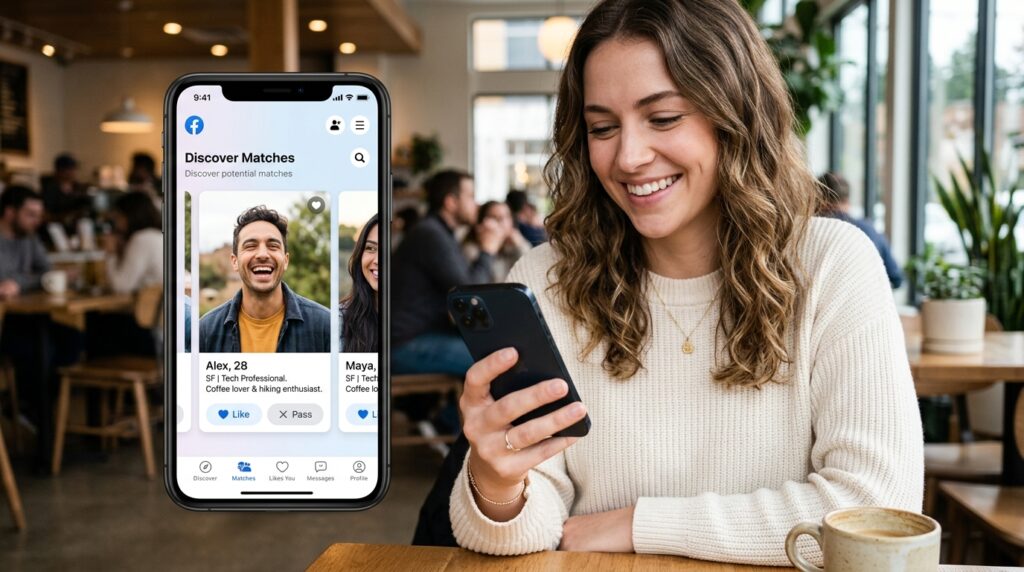

If you are new to online dating and want a simple way to meet people, Facebook Dating for Beginners: Complete Setup and Success Guide will walk you through everything you need to know.
Unlike many standalone dating apps, Facebook Dating is built directly into the Facebook mobile app and offers a separate dating profile experience. According to Facebook’s official help resources, users can create a dedicated Dating profile, send likes, and start chatting after matching.
This beginner-friendly guide covers:
- How to set up Facebook Dating
- How to optimize your profile
- Best settings for quality matches
- Common mistakes to avoid
- Tips for getting more responses
- Pros and cons
- Frequently asked questions
Whether you are in the U.S., U.K., Canada, or Australia, this guide is designed to help you start strong.
Facebook Dating for Beginners: Complete Setup and Success Guide
Facebook Dating has become one of the most accessible ways for beginners to connect with singles without downloading a separate app.
The feature is available within the Facebook mobile app for eligible users aged 18 and above.
One major advantage is convenience.
If you already use Facebook, getting started is fast.
What Is Facebook Dating?
Facebook Dating is a feature inside the Facebook app that helps users connect based on:
- shared interests
- groups
- events
- location preferences
- mutual likes
- profile compatibility
Unlike your regular Facebook profile, your dating profile remains separate.
Your friends on Facebook generally do not see your dating profile by default.
This makes it ideal for beginners who want privacy.
How to Set Up Facebook Dating (Step-by-Step)
Step 1: Open the Facebook Mobile App
Facebook Dating works primarily inside the mobile app on:
- iPhone
- Android
Go to the Menu tab and look for the heart icon labeled Dating.
Step 2: Tap “Get Started”
Once you open Dating:
- tap Get Started
- allow location access
- continue through the setup prompts
Location services are important because Facebook suggests matches based on your preferred distance.
Step 3: Create Your Dating Profile
Add the following details:
- clear profile photos
- age
- education
- job title
- city
- hobbies
- interests
- relationship goals
The more complete your profile, the better your match suggestions.
Step 4: Set Match Preferences
Choose filters such as:
- age range
- gender preference
- distance
- height
- religion
- lifestyle interests
These settings help improve match quality.
Best Profile Setup for Beginners
Your profile determines how often people engage with you.
Here is the best beginner setup strategy.
Use High-Quality Photos
Choose 4–6 clear images:
| Photo Type | Why It Works |
| Clear face photo | Builds trust |
| Casual lifestyle photo | Shows personality |
| Outdoor/travel photo | Increases engagement |
| Hobby photo | Sparks conversation |
| Smart-casual outfit | Improves attractiveness |
Avoid:
- blurry photos
- sunglasses in every photo
- group-only pictures
- overly edited filters
Write a Strong Bio
A good bio should be short and natural.
Example:
“New here and excited to meet genuine people who enjoy good conversation, travel, and weekend adventures.”
This works because it:
- sounds human
- gives conversation hooks
- shows personality
- attracts like-minded matches
Best First Message Tips for Beginners
One of the biggest beginner mistakes is sending low-effort messages.
Avoid:
- hi
- hey
- hello dear
Instead, use profile-based openers.
Better Examples
- “I saw you love hiking. What’s your favorite trail so far?”
- “Your travel photo looks amazing. Where was that taken?”
- “What’s the best movie you’ve watched this year?”
These messages increase reply rates because they feel personal.
Facebook Dating Features Beginners Should Know
Secret Crush
This feature lets you add people you already know from Facebook or Instagram.
If they add you too, it becomes a match.
Match Anywhere
This allows you to match outside your local city.
Useful for:
- travelers
- relocation planning
- long-distance connections
AI Dating Assistant
Meta has introduced AI-powered suggestions to help improve profile quality and messaging in some regions.
This can help beginners craft better introductions.
Pros and Cons
Pros
- free to use
- no separate app required
- easy setup
- integrated with Facebook interests
- strong location matching
- privacy separation from main profile
Cons
- mobile-only access
- feature availability varies by country
- fewer filters than premium dating apps
- match quality may vary by region
Common Beginner Mistakes to Avoid
1. Incomplete Profile
Profiles with missing photos and blank bios get fewer likes.
2. Setting Very Broad Preferences
Choosing extremely wide age and distance filters often lowers relevance.
Use targeted preferences.
3. Using Generic Messages
Personalized openers perform better.
4. Poor Photo Selection
First impressions matter heavily in dating platforms.
How to Get More Matches on Facebook Dating
Here are proven beginner strategies.
H3: Optimize Your Photos
Stay Active
Log in daily.
Frequent activity often improves profile visibility.
Engage Quickly
Reply promptly to messages.
Fast response improves momentum.
Use Interest-Based Conversations
Talk about:
- hobbies
- travel
- music
- lifestyle
- goals
This creates stronger engagement.
Comparison Table — Facebook Dating vs Other Apps
| Feature | Facebook Dating | Traditional Dating Apps |
| Cost | Free | Often paid tiers |
| Profile setup | Fast | Medium |
| Messaging | Free | Sometimes restricted |
| Likes visibility | Free | Often premium |
| Integrated interests | Yes | Limited |
This free access is one reason the platform has grown in popularity among younger adults.
Safety Tips for Beginners
Online dating should always be approached carefully.
Best practices:
- avoid sharing financial information
- verify identity through conversation
- meet in public places
- tell a friend where you are going
- trust your instincts
Facebook also offers reporting and blocking features.
Final Thoughts
For anyone starting out, Facebook Dating offers one of the easiest entry points into online dating.
The key to success is simple:
- complete profile
- great photos
- genuine bio
- personalized messages
- consistent activity
Follow these steps and you significantly improve your chances of meaningful connections.
FAQ Section
1. Is Facebook Dating free for beginners?
Yes, Facebook Dating is free to use inside the Facebook app.
2. Can my Facebook friends see my dating profile?
Generally, your regular friends do not see your dating profile by default.
3. Do I need a separate app?
No. It is built into the Facebook mobile app.
4. Why can’t I see Facebook Dating?
Possible reasons include location availability, age restrictions, or app version issues.
5. Is Facebook Dating safe?
Yes, if you follow standard online safety practices and use the report/block tools.
6. Can I use it on desktop?
It is primarily mobile-only